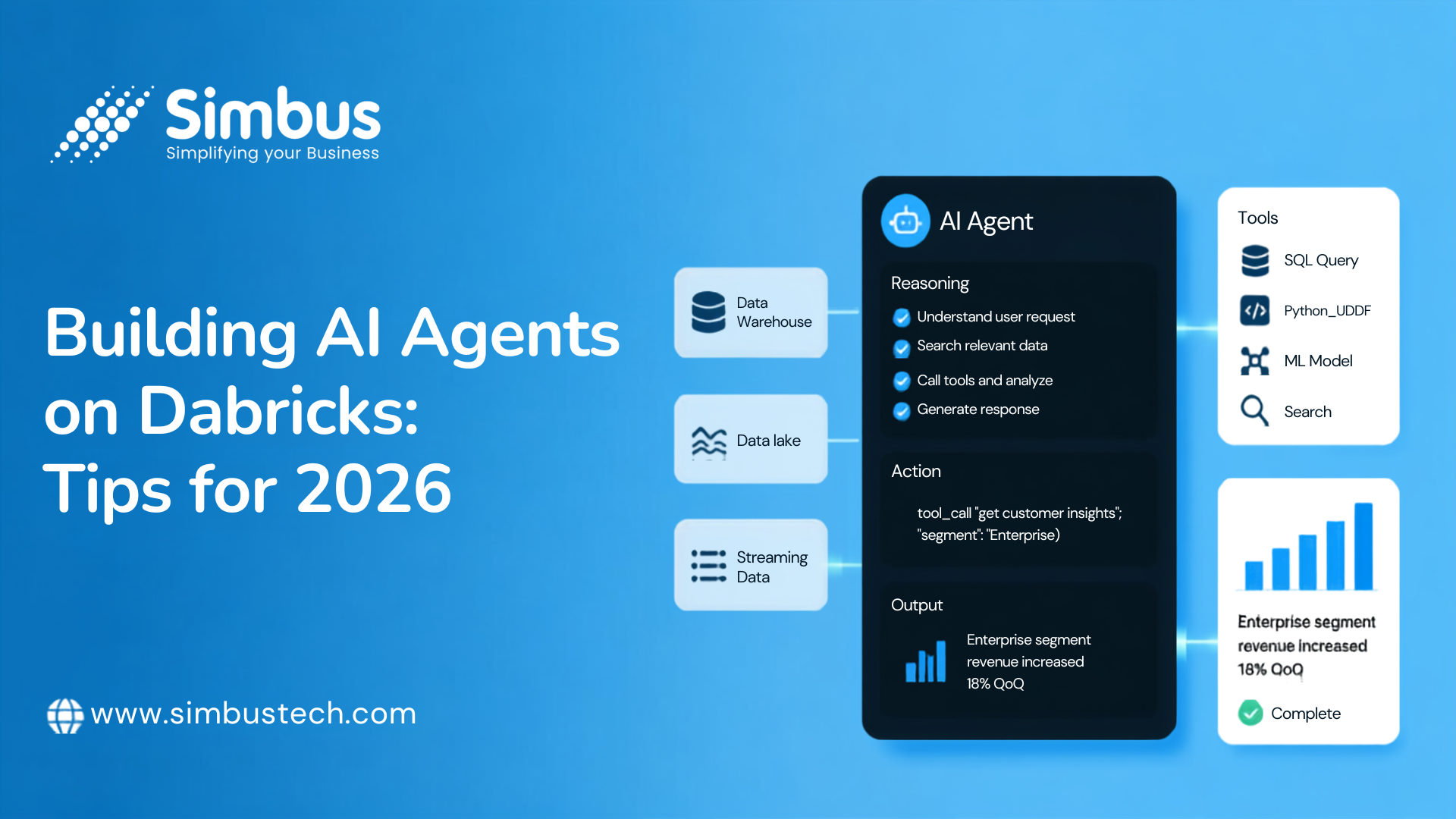
Building AI Agents on Databricks: Tips for 2026
Practical tips for building AI agents on Databricks in 2026 - key tools, considerations, and where to start.
How to Build AI Agents on Databricks
AI agents on Databricks are quickly becoming the next major workload on the platform. Instead of a single model responding to a single prompt, an AI agent can reason over multiple steps, call tools, query your data and take action — all while staying grounded in the governed data your organization already trusts.
At Simbus Technologies, we’ve been helping teams move from “we have a chatbot demo” to “we have a production Databricks AI agent that ships value every day.” This guide breaks down exactly how to build AI agents on Databricks — the core building blocks, the tools, and the architecture patterns that actually scale.
Why Databricks for AI Agents?
Most companies already have their data, pipelines, and governance living on Databricks. Building agents on the same platform means you’re not stitching together five different vendors just to get a working prototype — you’re extending infrastructure you already trust, with the same security and lineage guarantees.
The Core Building Blocks
A production-ready agent on Databricks typically rests on four pillars:
Mosaic AI — for building, evaluating, and serving the agent itself. Mosaic AI Agent Framework gives you the scaffolding to define agent logic, connect it to tools, and deploy it as a served endpoint with built-in evaluation and monitoring.
Unity Catalog — for governance. Every table, model, function, and vector index the agent touches can be permissioned, audited, and lineage-tracked in one place. This matters enormously once an agent starts acting on data, not just reading it.
Vector Search — for retrieval. Databricks Vector Search lets you index unstructured data (docs, tickets, transcripts) alongside your structured tables, so agents can pull relevant context without you standing up a separate vector database.
Tool-calling & orchestration — the layer that turns a language model into an agent. This is where you define the functions the model can call — SQL queries, API calls, notebook jobs — and the logic for how the agent decides what to do next.
Best Practices for Tool-Calling & Orchestration
A few lessons that tend to separate agents that work in a demo from agents that survive production:
Keep tools narrow and well-documented. An agent performs better with ten precise, single-purpose tools than three overloaded ones. Clear docstrings matter as much for the model as for your engineers.
Register tools as Unity Catalog functions where possible. This gives you governance and reuse across multiple agents, instead of tool logic scattered across notebooks.
Add guardrails to the orchestration layer, not just the prompt. Rate limits, approval steps for high-risk actions, and fallback behaviors should live in code, not in hopeful prompt instructions.
Evaluate continuously. Use Mosaic AI’s evaluation tooling to track quality against a labeled test set as you iterate — agent behavior drifts as you add tools, so a one-time eval isn’t enough.
Architecture Patterns That Scale
Two patterns show up repeatedly in production systems we’ve built:
Retriever + reasoner + executor. A retrieval step grounds the agent in your data (Vector Search + Unity Catalog), a reasoning step (the LLM) decides what to do, and an executor step calls tools or writes back to governed tables.
Supervisor + specialist agents. Rather than one agent trying to do everything, a lightweight supervisor routes tasks to specialist agents (e.g., a SQL agent, a document-search agent, a ticketing agent), each with a narrow toolset. This scales better as complexity grows and keeps each agent easier to evaluate and debug.
Where Teams Usually Get Stuck
In our experience, the blockers aren’t usually the model — they’re:
- Getting governance right before agents start writing to production systems
- Designing tool interfaces the model can reliably use
- Building an evaluation loop that catches regressions before users do
- Moving from a notebook prototype to a monitored, served endpoint
FAQ: Building AI Agents on Databricks
What is Mosaic AI on Databricks?
Mosaic AI is Databricks’ product layer for building, evaluating, and serving AI models and agents — including the Mosaic AI Agent Framework, Foundation Model APIs, Model Serving, and Vector Search.
Do I need Unity Catalog to build an AI agent on Databricks?
It’s not strictly required, but it’s strongly recommended. Unity Catalog gives you access control, audit logs, and lineage for every table, model, and function your agent touches — which matters as soon as an agent starts taking real actions, not just answering questions.
What’s the difference between a Databricks agent and a chatbot?
A chatbot returns a single response to a single prompt. An agent can plan multiple steps, call tools (SQL queries, APIs, functions), and decide what to do next based on the results — often across several turns of reasoning.
How do I evaluate an AI agent before production?
Use Mosaic AI Agent Evaluation to score outputs with a labeled test set, rule-based checks, and LLM-as-a-judge grading — and re-run evaluation every time you add or change a tool, since agent behavior can drift.
Ready to Ship an Agent?
If your team is working with data on Databricks and exploring how to move from prototype to production, Simbus Technologies can help you architect, build, and evaluate agents that hold up under real usage.
Get in touch with us to talk through your use case.
Sources
- Databricks — Mosaic AI Agent Framework: Author Agent
- Databricks — What is Unity Catalog?
- Databricks — Vector Search overview
- Databricks — Vector Search Python client docs