On-Demand State Repartitioning in Databricks Streaming
Databricks now lets you resize stateful streaming partitions without losing checkpoint data. Learn what it means and how Simbus can help you adopt it.
Every team running production streaming pipelines eventually faces the same frustrating scenario. You launched a stateful Structured Streaming query with a reasonable default — say, 200 partitions — because at the time, that’s all the workload needed. Then the business scales. Traffic triples, the state store grows, partitions get skewed, and microbatch start taking longer than they should. You bump up the partition setting and restart the query, expecting relief.
Nothing happens.
That’s because for years, the partition count of a stateful Spark Structured Streaming query has been locked in permanently at the moment the checkpoint is created. Changing it meant abandoning that checkpoint and rebuilding state from scratch — an unacceptable trade-off for a fraud model tracking millions of accounts or a sessionization job holding days of historical windows.
Databricks has now removed that constraint.
What’s New
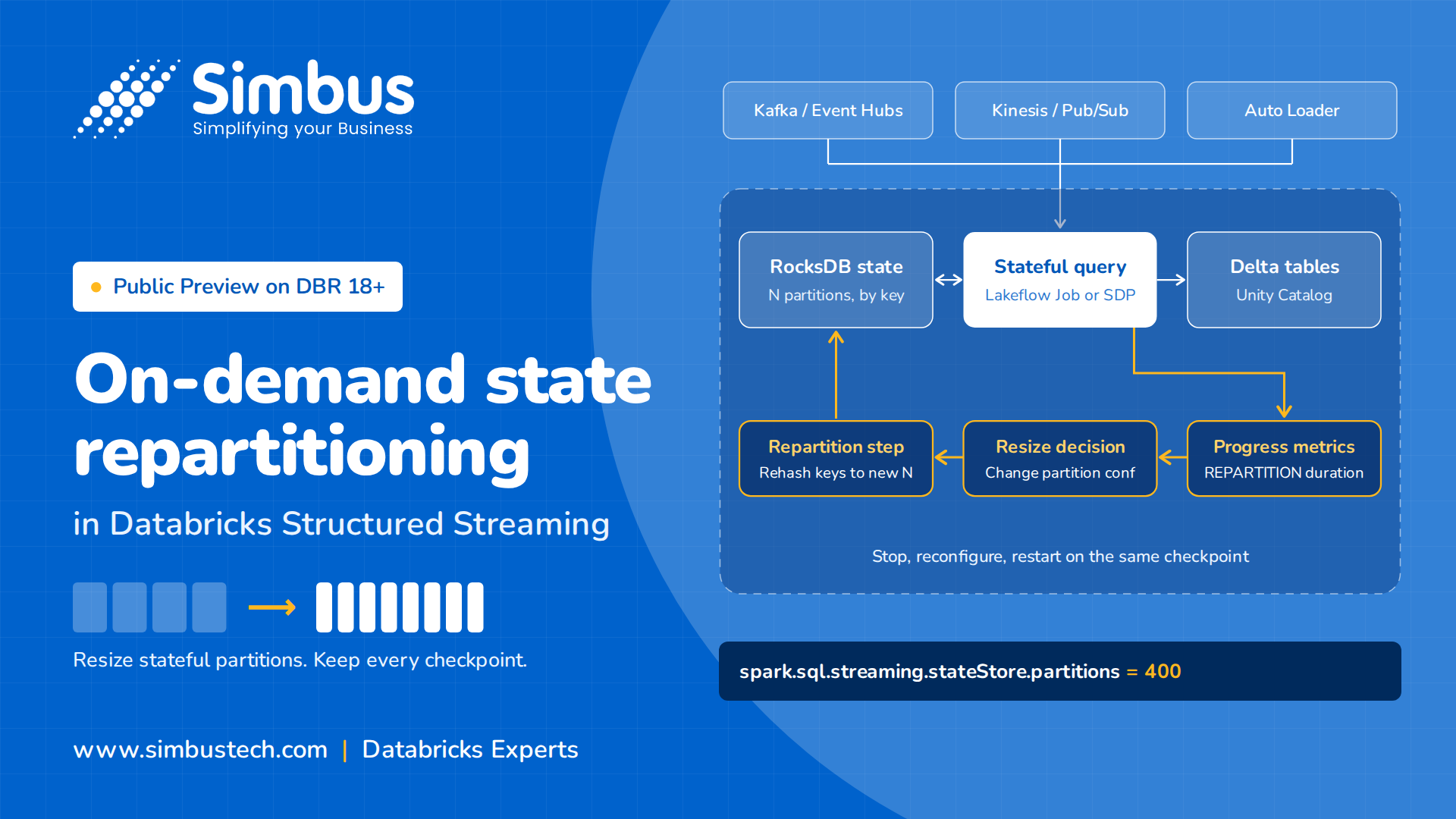
With on-demand state repartitioning, now in Public Preview on Databricks Runtime 18 and above, teams can resize the number of partitions in a stateful streaming query without losing any checkpoint data. Instead of tuning the general shuffle-partitions setting (which no longer controls state partitioning once a checkpoint exists), engineers now set a dedicated configuration — spark.sql.streaming.stateStore.partitions — and restart the query. On restart, Spark finishes any pending microbatch, then performs a one-time repartition operation that physically redistributes state across the new partition layout, re-hashing every key into its correct new home. Once that’s done, the query resumes processing normally at the new scale.
In practice, the change is three lines:
query.stop()
spark.conf.set("spark.sql.streaming.stateStore.partitions", "400")
query = df.writeStream.option("checkpointLocation", checkpoint_path).start()
Restart against the same checkpoint location. For stateful queries, spark.sql.streaming.stateStore.partitions takes precedence over spark.sql.shuffle.partitions, which is what makes the new count stick where the old approach didn’t.
This applies broadly — aggregations, stream-stream joins, deduplication, sessionization, and transformWithState workloads are all covered, and it works whether you’re scaling up for a traffic spike or scaling down once the load has settled.
Early adopters are already seeing meaningful returns. Coveo, which runs large-scale stateful pipelines with significant volume fluctuation, reported a substantial reduction in related storage API costs after adopting the capability, since they no longer have to choose between overprovisioning and rebuilding checkpoints from scratch every time load patterns shift.
Why This Matters More Than It Sounds
On the surface, this looks like a small configuration change. In practice, it removes a constraint that has quietly shaped how teams architect streaming systems for years:
- Right-sizing after launch is now possible. A pipeline that started in one pilot region and now serves every market no longer must live with day-one assumptions baked permanently into its checkpoint.
- Workload-aware scaling becomes practical. Pipelines that run hot during business hours and idle overnight can scale partition counts and down to match, instead of being sized for worst-case peak permanently.
- Backfills stop being a trade-off. Reprocessing years of historical data needs a very different partition count than steady-state traffic — teams can now scale up temporarily and scale back down without disruption.
- Performance tuning becomes measurable, not guesswork. Engineers can test different partition counts against a live checkpoint and observe real repartition duration and microbatch metrics, rather than reprocessing everything from zero to find out.
Where Most Teams Will Get Stuck
The mechanism itself is simple — stop, reconfigure, restart — but getting real value from it requires more than flipping a setting:
- Confirming you’re on DBR 18+ with the RocksDB state store provider (the default since DBR 17.3, but worth verifying on older queries)
- Choosing the right target partition count based on actual state size and growth trajectory, not a guess
- Scheduling the resize as a deliberate maintenance action, since each change involves a pause that scales with the size of your state
- Monitoring the controlBatch.REPARTITION metric in StreamingQueryProgress events to confirm the operation behaved as expected and to build a feedback loop for future tuning
This is exactly the kind of decision that benefits from engineers who live in Spark and Databricks internals every day, rather than a one-time config change made under pressure during an incident.
How Simbus Can Help Teams Take Advantage of This
At Simbus, our Databricks-certified data engineers bring deep expertise in Spark Structured Streaming and the workload types this feature is built for — real-time streaming dashboards, financial risk and fraud models, and IoT ingestion pipelines that depend on stateful aggregations. We’re well-positioned to help teams evaluate, adopt, and operationalize on-demand state repartitioning as part of their platform roadmap.
For clients on a Continuous Evolution engagement with us, this capability fits naturally into ongoing runtime upgrades and performance tuning work. For clients on an AMS retainer, our engineers can build partition-health monitoring into existing pipeline support, so a misaligned partition count gets caught early, before it becomes a production incident. And for teams that want a focused push to assess and right-size their streaming pipelines, our Rapid Deployment Pods model brings in Databricks experts for exactly that kind of time-boxed engagement.
Whether you’re revisiting a streaming pipeline that’s been running unchanged since launch, or architecting a new one from scratch, this is a capability worth planning for early rather than retrofitting under pressure later.
Curious whether your streaming pipelines could benefit from this?